Frequently Asked Questions
Everything about accounts, orders, and payments at Toko Kartu. Can't find your answer? Contact us at the bottom of the page.
Account & Profile
Click the account icon in the top-right corner of the navbar, choose Login, enter your registered email and password, then click Masuk. You'll be redirected back to the homepage with your account shown as active.
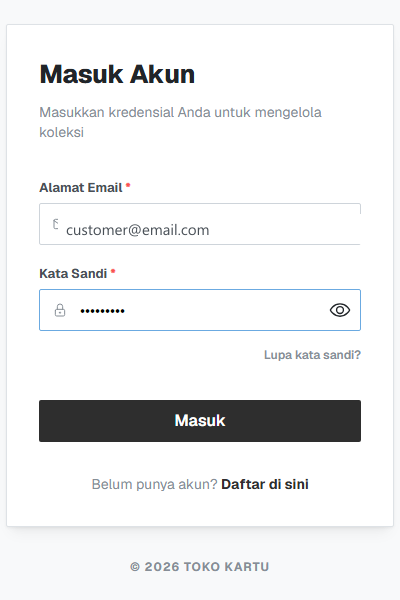
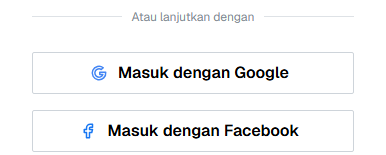
Yes — the login page has Sign in with Google and Sign in with Facebook buttons alongside email + password. If your Google/Facebook email matches an already-registered account, they're automatically linked into that same account.
Click "Daftar di sini" (Register here) on the login page to fill out the registration form (or use the Google/Facebook button instead). For email registration, your full name and phone number (with country code) are now required, and you'll need to verify your email with an OTP code before you can log in. Once verified, we immediately email you a welcome voucher as a thank-you for signing up.
On the login page, click "Lupa kata sandi?" right below the password field to start the recovery process by email.
Open the account menu (click your avatar) → Profile. Update your name, email, phone number (with country code), full address (country–province–city–district–village), photo, or social links, then click Simpan Perubahan (Save Changes). Unlike at registration, the phone number here is optional.
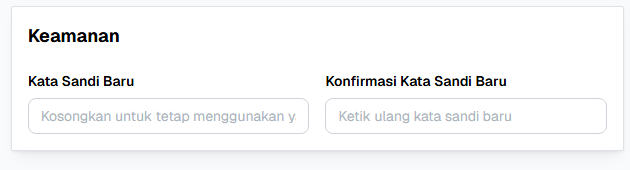
On the Profile page, under Keamanan (Security), fill in New Password and Confirm New Password, then save. Leave both fields empty if you don't want to change it.
Open the account menu → My Transactions. Every order appears as a card with its status, date, payment method, and total — filterable by invoice number, status, or date range.
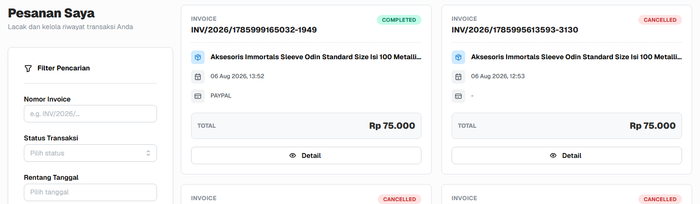
PENDING = awaiting payment, PROCESSED/SHIPPED = being prepared or shipped by the store, COMPLETED = order finished, CANCELLED = cancelled (by you or automatically expired).
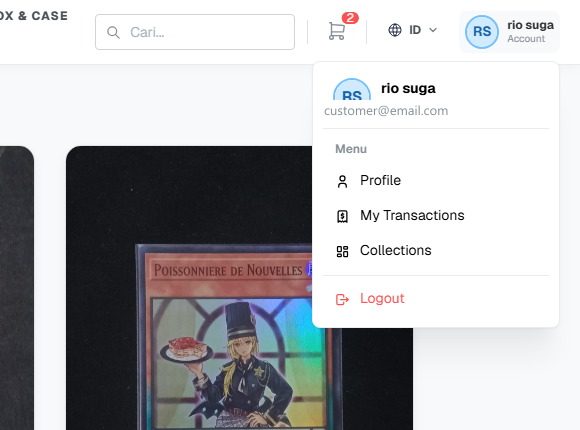
Click your avatar in the navbar, then choose Logout at the bottom of the menu.
Shopping & Payment
From the Catalog page, click Add to Cart directly on a product card — no need to open the detail page for a quick purchase.

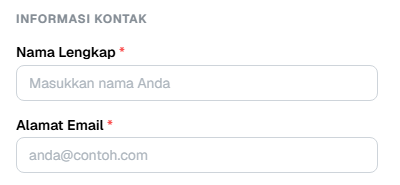
No — you can check out as a guest by filling in your Full Name, Email Address, and Phone Number (with country code) under Contact Information when you open the cart, no registration required. Both Kirim (ship) and Ambil Sendiri (pickup) are still available. The differences: guest checkout can't use a voucher code, and since there's no account, you don't have a My Transactions page to track orders — check your email for the confirmation and invoice after the order is placed.
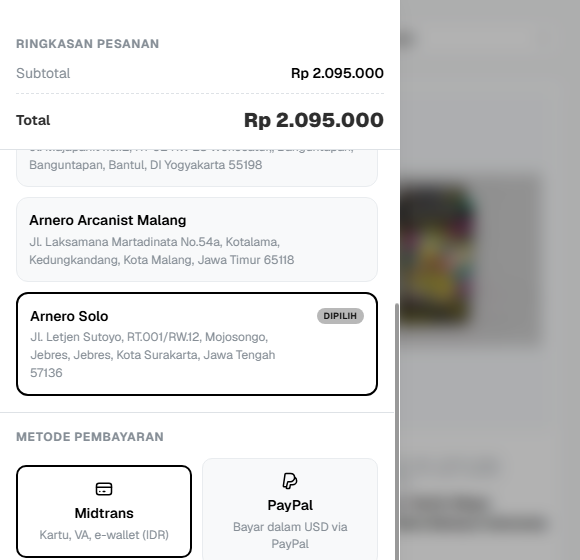
Kirim (home delivery) ships your order to your address and calculates shipping from the available couriers. Ambil Sendiri (store pickup) lets you choose one of the physical stores as your pickup location with no shipping fee.
Yes — choose a country other than Indonesia when filling in the shipping address. International shipping cost is calculated from the store's own configured rate for that route, plus a live DHL rate if one is available. For a small number of countries/cities, neither source may return a quote — if the courier list stays empty after your full address is filled in, try again shortly or contact us to have it checked manually.
For visitors detected as being outside Indonesia, the product detail page (not the catalog listing) shows an estimated price in your local currency at the current exchange rate, alongside the original Rupiah price. This is for comparison only — the amount actually charged is still fixed at checkout based on the payment method chosen (Rupiah via Midtrans, or USD via PayPal).
Midtrans for debit/credit cards, bank virtual accounts, and e-wallets in Rupiah, PayPal for payment in USD automatically converted at the exchange rate at checkout, or Wise (international bank transfer) specifically for orders shipped outside Indonesia. Which options actually show up can vary by destination country and which methods the store currently has enabled.
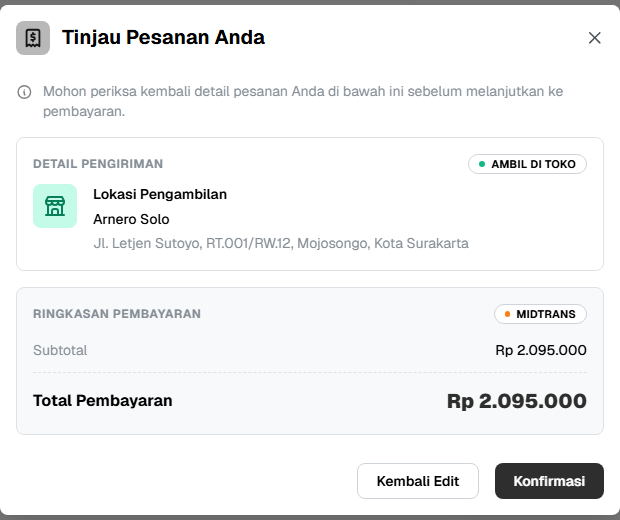
It's a final confirmation so you can double-check the delivery/pickup location and total before the order is actually placed — preventing an accidental checkout.
Open My Transactions, find the PENDING order, then click Bayar Sekarang (Pay Now). You'll be redirected to the Midtrans or PayPal payment page depending on the method chosen at checkout.
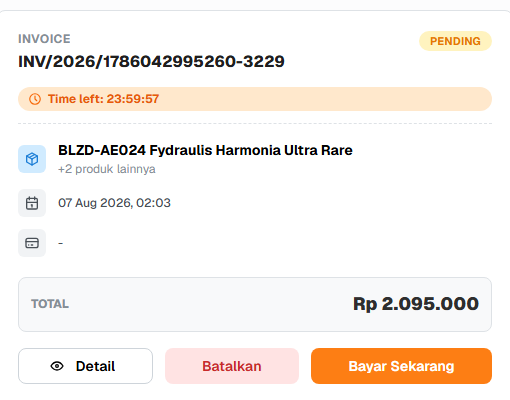
PENDING order cards show a countdown (e.g. "Time left: 23:59:57"). If time runs out before payment, the order automatically changes to CANCELLED.
Yes — as long as it's still PENDING, click Batalkan (Cancel) on the order card and confirm. Orders that are already paid or being processed can't be self-cancelled from this page.
Card Discount is deducted automatically when a product you bought is currently on sale — no code needed, it still applies during guest checkout, and it's already reflected in the catalog price. Voucher (including the welcome voucher) is a promo code you enter yourself and requires being logged in. Both can be used together and each appears as its own line on the invoice.
In the cart modal, under Promo / Voucher, enter the code and press Enter. The discount is automatically applied to the product subtotal or shipping fee, depending on the voucher type, and its maximum discount cap (if any) is shown right after it's applied. Some product vouchers can be combined with another one if the store allows that pairing, but a shipping voucher is still limited to one per checkout. This field only appears when you're logged in — guest checkout can't use any voucher.
A new account can get a one-time welcome discount voucher — the percentage, maximum discount, and validity period depend on whatever promotion was active when you registered, so check the email you received for the exact terms. The code is not applied automatically: copy it from the email and paste it into the Promo / Voucher field at checkout. It's tied to the account it was issued to and can't be used on another account or during guest checkout.
Courier options only appear once your full address is filled in — down to the village/kelurahan level for Indonesian addresses, or city and postal code for international ones. If the list stays empty, there may be no domestic or DHL courier serving that route — try again shortly or contact us.
Still have questions?
Our team is happy to help via the Contact page.